
70 lines
3.7 KiB
XML
70 lines
3.7 KiB
XML

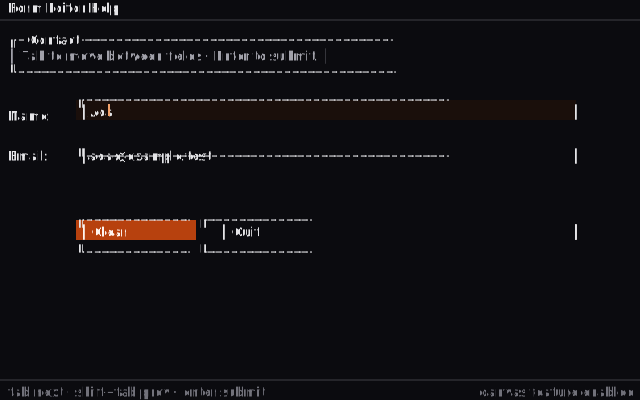


<svg viewBox="0 0 640 400" xmlns="http://www.w3.org/2000/svg" class="w-full h-auto" role="img" aria-label="examples/canvas TUI screenshot">
|
|
<!--
|
|
A TUI rendered to SVG. All text and borders use box-drawing characters
|
|
in a monospace font, so the result reads like a real terminal frame
|
|
(think ratatui, not a website mockup).
|
|
viewBox: 640 x 400 = 80 x 25 cells of 8 x 16 px.
|
|
-->
|
|
<style>
|
|
.bg { fill: #0b0b0f; }
|
|
.text { fill: #e4e4e7; }
|
|
.muted { fill: #a1a1aa; }
|
|
.dim { fill: #71717a; }
|
|
.accent { fill: #f4a26b; }
|
|
.accent-bg { fill: #b7410e; }
|
|
.accent-bg-fg{ fill: #fff5f0; }
|
|
.field-acc { fill: #1a0f0b; }
|
|
.border-soft { stroke: #3f3f46; fill: none; stroke-width: 1; }
|
|
text {
|
|
font-family: 'JetBrains Mono', ui-monospace, 'SF Mono', Menlo, Consolas, monospace;
|
|
font-size: 13px;
|
|
dominant-baseline: middle;
|
|
text-rendering: geometricPrecision;
|
|
}
|
|
.cursor { fill: #f4a26b; }
|
|
</style>
|
|
|
|
<rect class="bg" width="640" height="400"/>
|
|
|
|
<!-- ============== Tabs strip ============== -->
|
|
<text x="8" y="8" class="text"> Form Editor Help</text>
|
|
<line x1="0" y1="20" x2="640" y2="20" class="border-soft"/>
|
|
|
|
<!-- ============== Page header ============== -->
|
|
<text x="8" y="40" class="text"> ┌─ Contact ───────────────────────────────────────┐</text>
|
|
<text x="8" y="56" class="muted"> │ Tab to move between fields · Enter to submit. │</text>
|
|
<text x="8" y="72" class="text"> └────────────────────────────────────────────────┘</text>
|
|
|
|
<!-- ============== Field: Name (focused, with caret) ============== -->
|
|
<text x="8" y="116" class="text"> Name: </text>
|
|
<rect x="76" y="100" width="500" height="20" class="field-acc"/>
|
|
<text x="80" y="112" class="text"> │Ada</text>
|
|
<rect x="108" y="104" width="2" height="12" class="cursor"/>
|
|
<text x="572" y="112" class="text">│</text>
|
|
|
|
<!-- ============== Field: Email ============== -->
|
|
<text x="8" y="156" class="text"> Email:</text>
|
|
<text x="80" y="156" class="text"> │ada@example.test</text>
|
|
<text x="572" y="156" class="text">│</text>
|
|
|
|
<!-- ============== Buttons ============== -->
|
|
<!-- Clear button (focused) -->
|
|
<rect x="76" y="220" width="120" height="20" class="accent-bg"/>
|
|
<text x="80" y="232" class="accent-bg-fg"> │ Clear </text>
|
|
<text x="572" y="232" class="accent-bg-fg">│</text>
|
|
<!-- Quit button -->
|
|
<text x="220" y="232" class="text"> │ Quit </text>
|
|
<text x="572" y="232" class="text">│</text>
|
|
|
|
<!-- Show the box-drawing border around the whole form area (top + bottom) -->
|
|
<text x="76" y="100" class="text"> ┌──────────────────────────────────────────────┐</text>
|
|
<text x="76" y="156" class="text"> └──────────────────────────────────────────────┘</text>
|
|
<text x="76" y="220" class="text"> ┌─────────────┐ ┌─────────────┐</text>
|
|
<text x="76" y="252" class="text"> └─────────────┘ └─────────────┘</text>
|
|
|
|
<!-- ============== Status bar ============== -->
|
|
<line x1="0" y1="380" x2="640" y2="380" class="border-soft"/>
|
|
<text x="8" y="392" class="dim"> tab next · shift+tab prev · enter submit</text>
|
|
<text x="632" y="392" class="dim" text-anchor="end">canvas feature enabled</text>
|
|
</svg>
|